The Best Way to Take Down Fakes on TikTok Shop

Jesse Xu
CTO

Guides
The Best Way to Take Down Fakes on TikTok Shop
TikTok Shop hit $15.82 billion in US sales last year. That kind of growth doesn't go unnoticed by counterfeiters.
If you're a brand dealing with fake listings, stolen product images, or sellers impersonating your company, TikTok offers a self-service portal for filing takedowns. Here's how to use it, and our best advice for getting the speediest takedown.
Step 1: Sign Up for the TikTok IP Portal
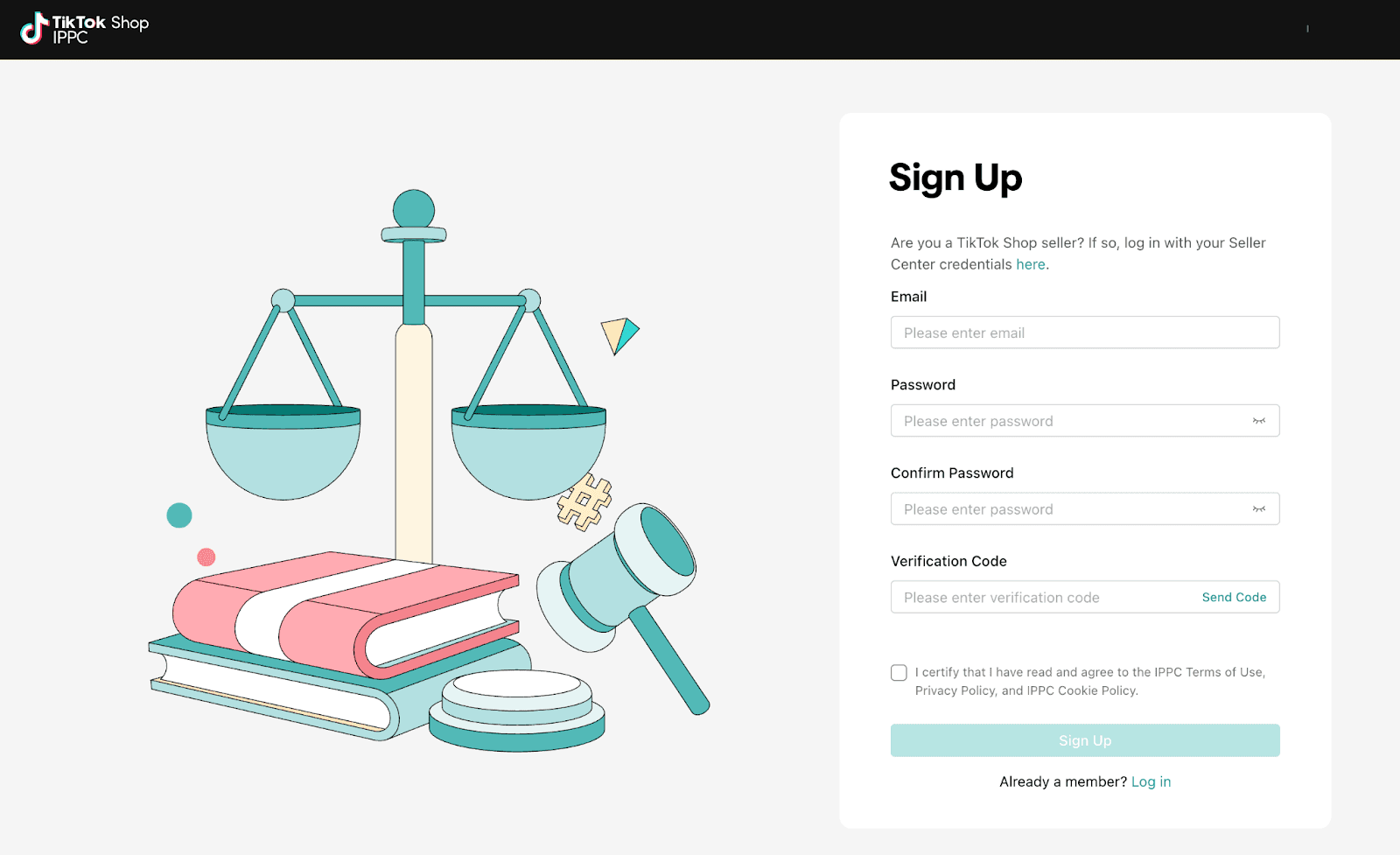
Go to the TikTok Shop Intellectual Property Protection Center (IPPC) at ippc.tiktokglobalshop.com.
Create an account with your email and password. You'll need to verify your email before proceeding.
Step 2: Register Your Business Entity
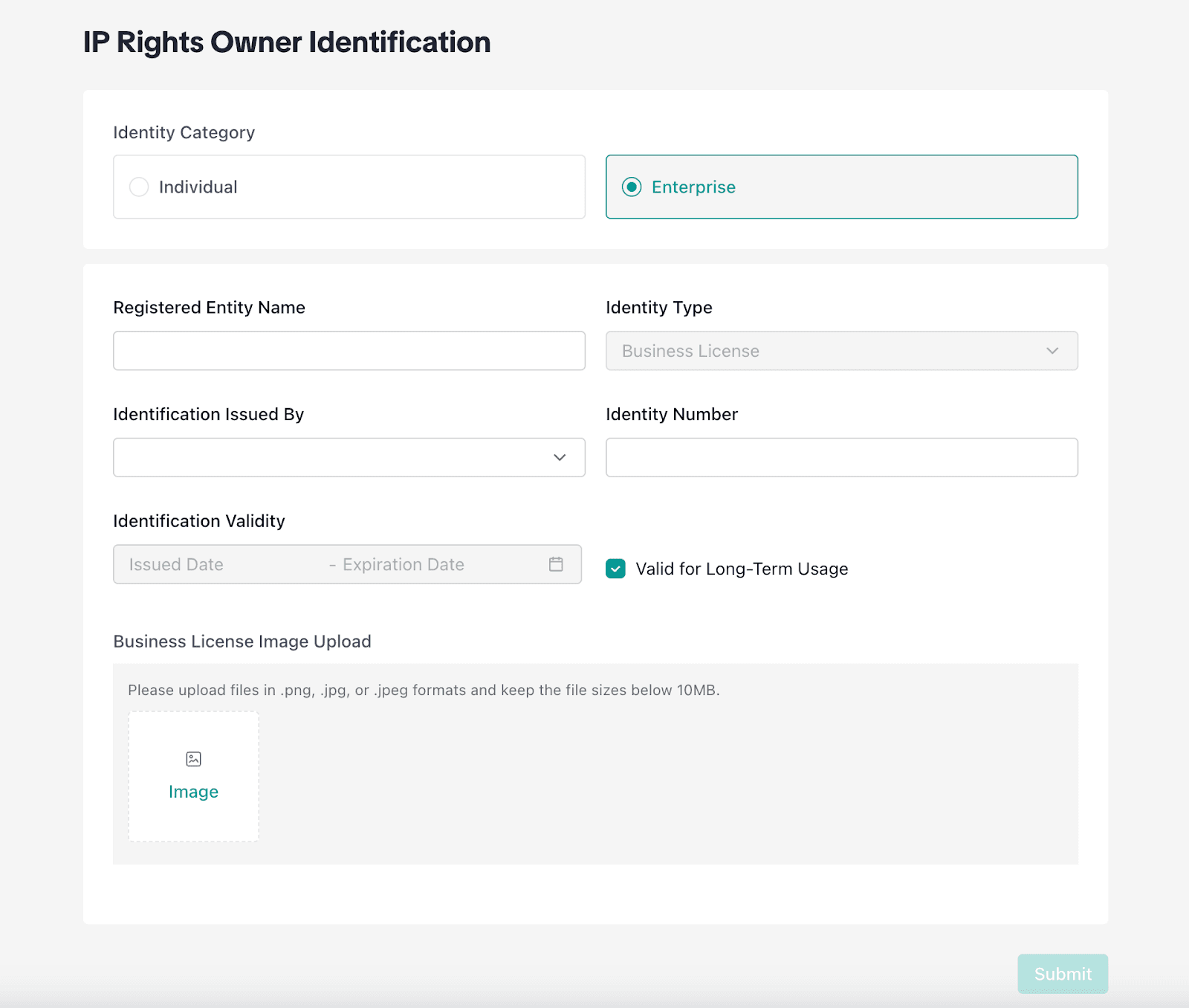
Once you're in, you'll need to verify your identity. TikTok offers two options:
Individual: For independent creators or sole proprietors. You'll provide personal identification.
Enterprise: For companies. You'll need to provide your registered entity name, business license, and identification documents. Select your identity type (Business License is the default), provide your identification number (EIN), and upload your business license image (for corporations, articles of incorporation, for example).
Step 3: Register Your Intellectual Property
After your business is approved, you can register the IP you want to protect. TikTok supports five types:
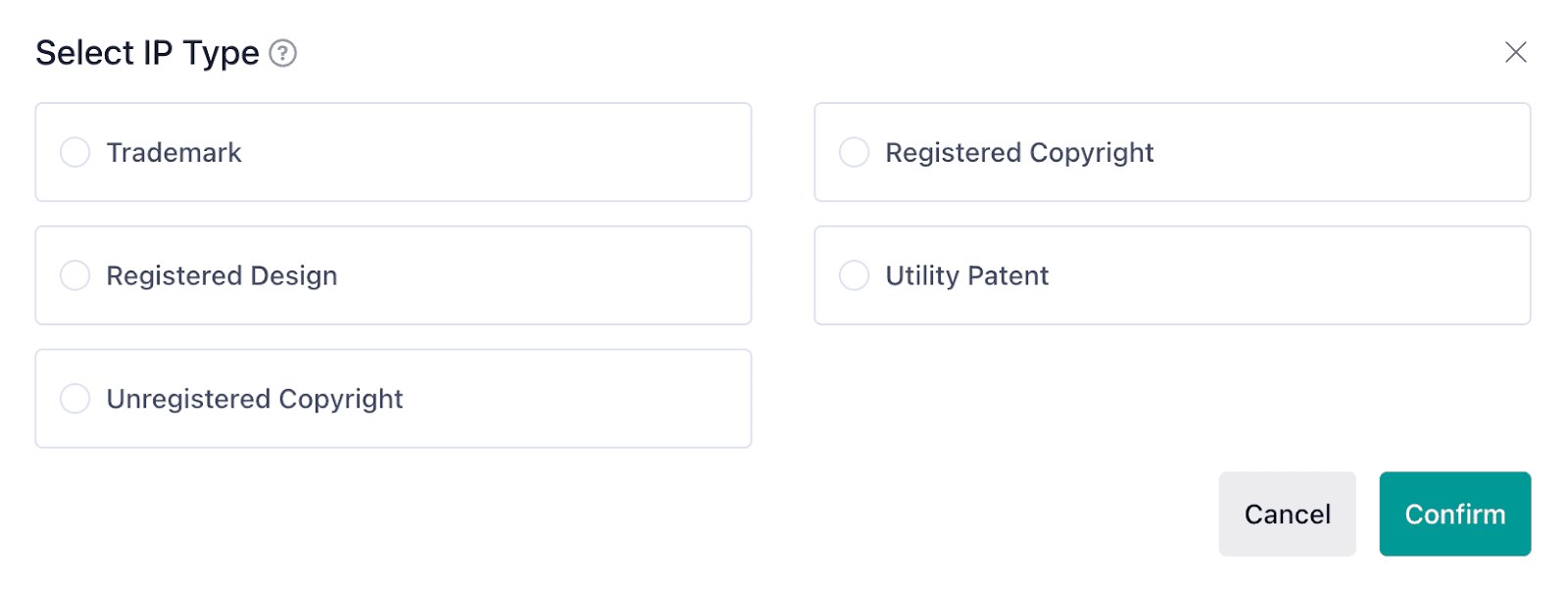
Trademark: For any registered trademarks. Pending trademarks won't qualify. You'll need your trademark registration number, certificate, and details like the territory of registration, trademark classification, and expiration date.
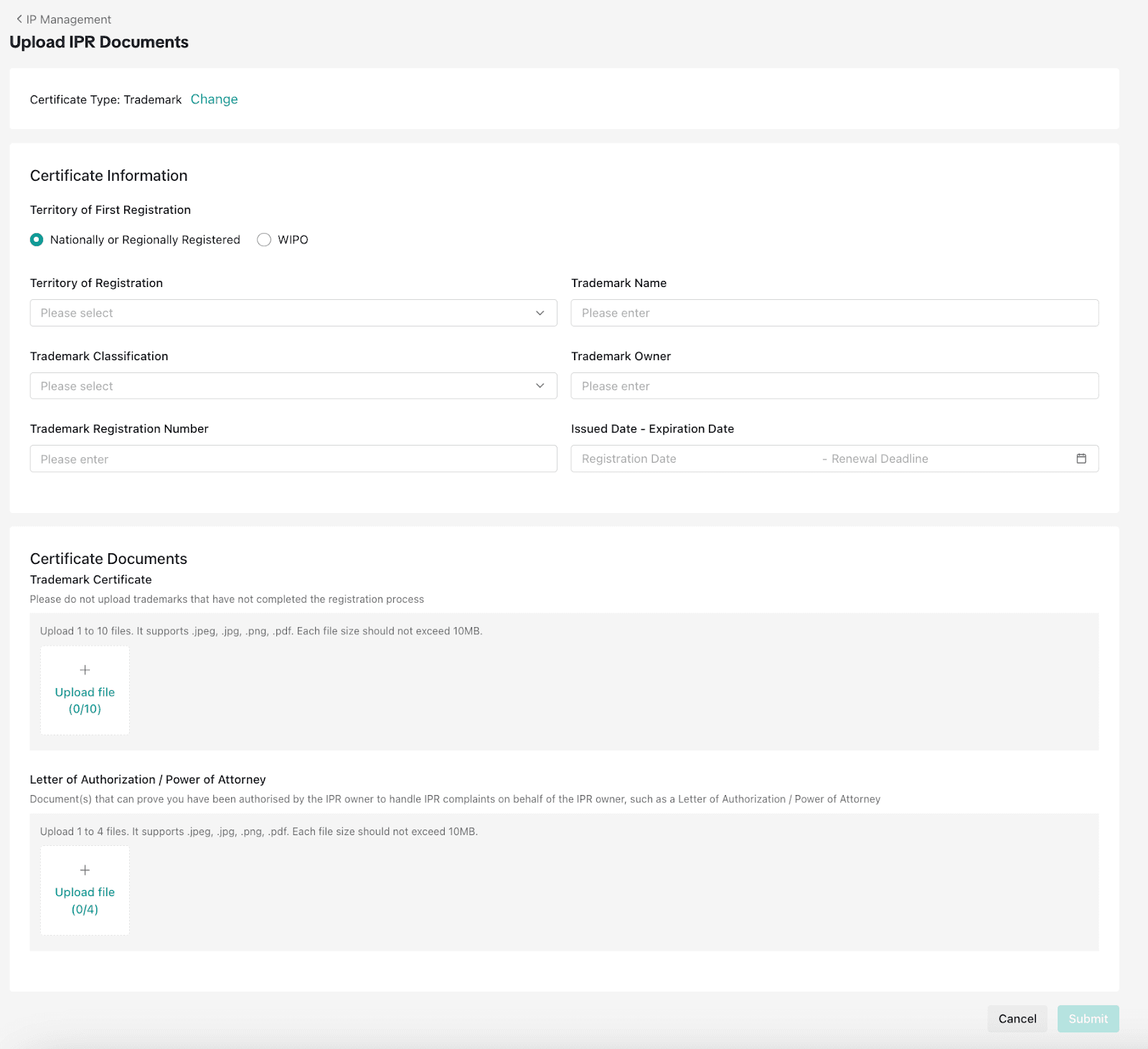
Registered Copyright: For copyrighted content you've formally registered.
Registered Design: For design patents or industrial designs.
Utility Patent: For utility patents.
Unregistered Copyright: For original content you own but haven't formally registered. This includes original images, videos, and other creative work. You'll provide the content name, content owner, content type (Image, Live, or Video/Others), and the first publication URL where the content appeared.
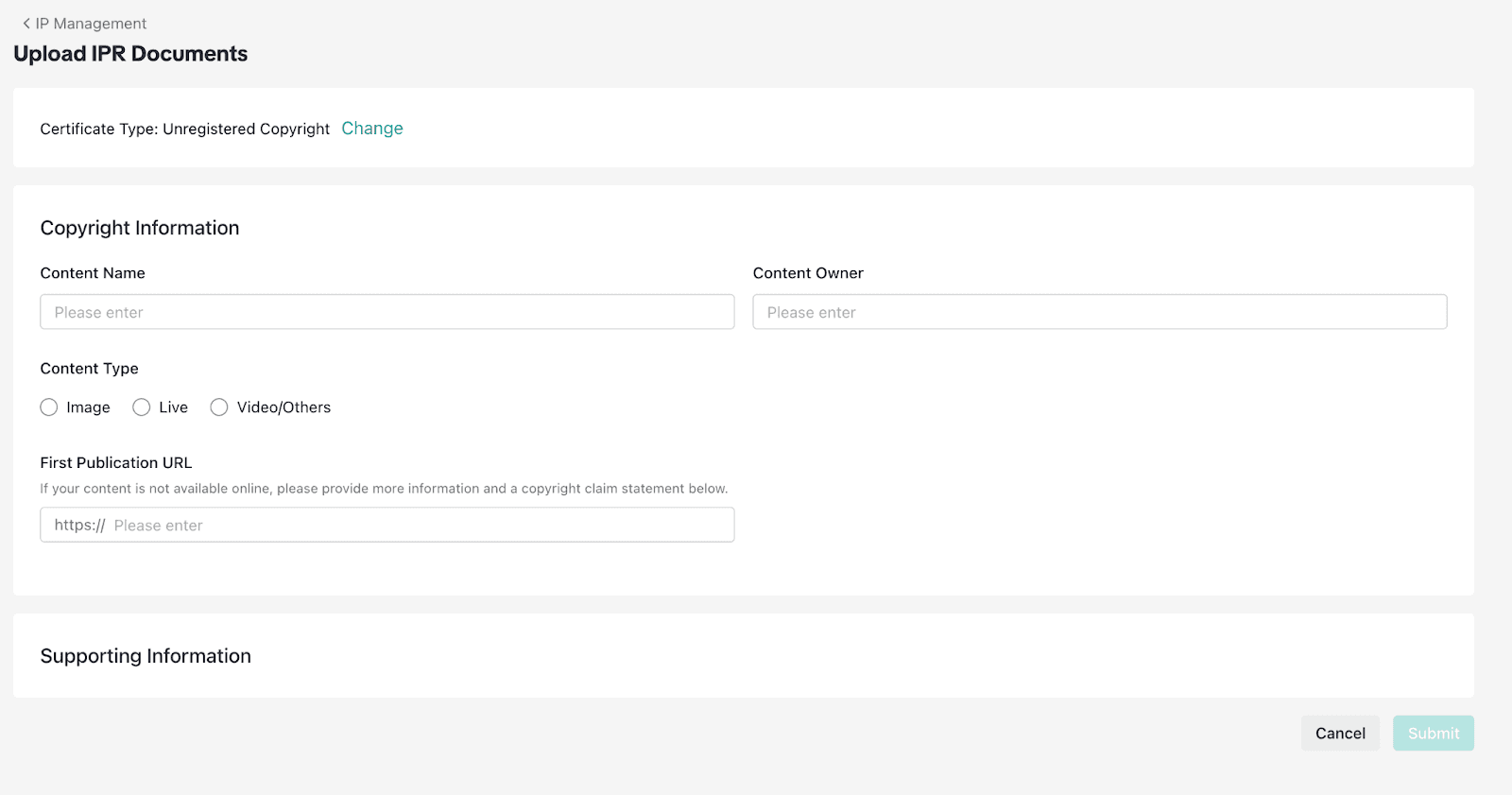
For trademarks, you can register them as "Nationally or Regionally Registered" or through WIPO (World Intellectual Property Organization) for international marks.
You may also need to upload a Letter of Authorization or Power of Attorney if you're filing on behalf of the IP owner rather than as the owner directly. For these letters, make sure that both the name of the IP owner as well as contact details for both you and the brand are clearly stated.
Step 4: File a Complaint
Once your IP is registered, you can start filing complaints against infringing listings.
Go to Complaint Management and select "Create Complaint." You'll search for complaint objects by:
Keyword: Search for product names or brand terms
Image: Upload an image to find visually similar listings
URL: Paste a direct link to an infringing listing
Select the complaint type (Product is most common) and filter by country if needed.
When you find infringing listings, select them and add them to your complaint. For each listing, you can view details including the Object Name, Object ID, Brand Name, Seller ID, SKU information, and pricing.
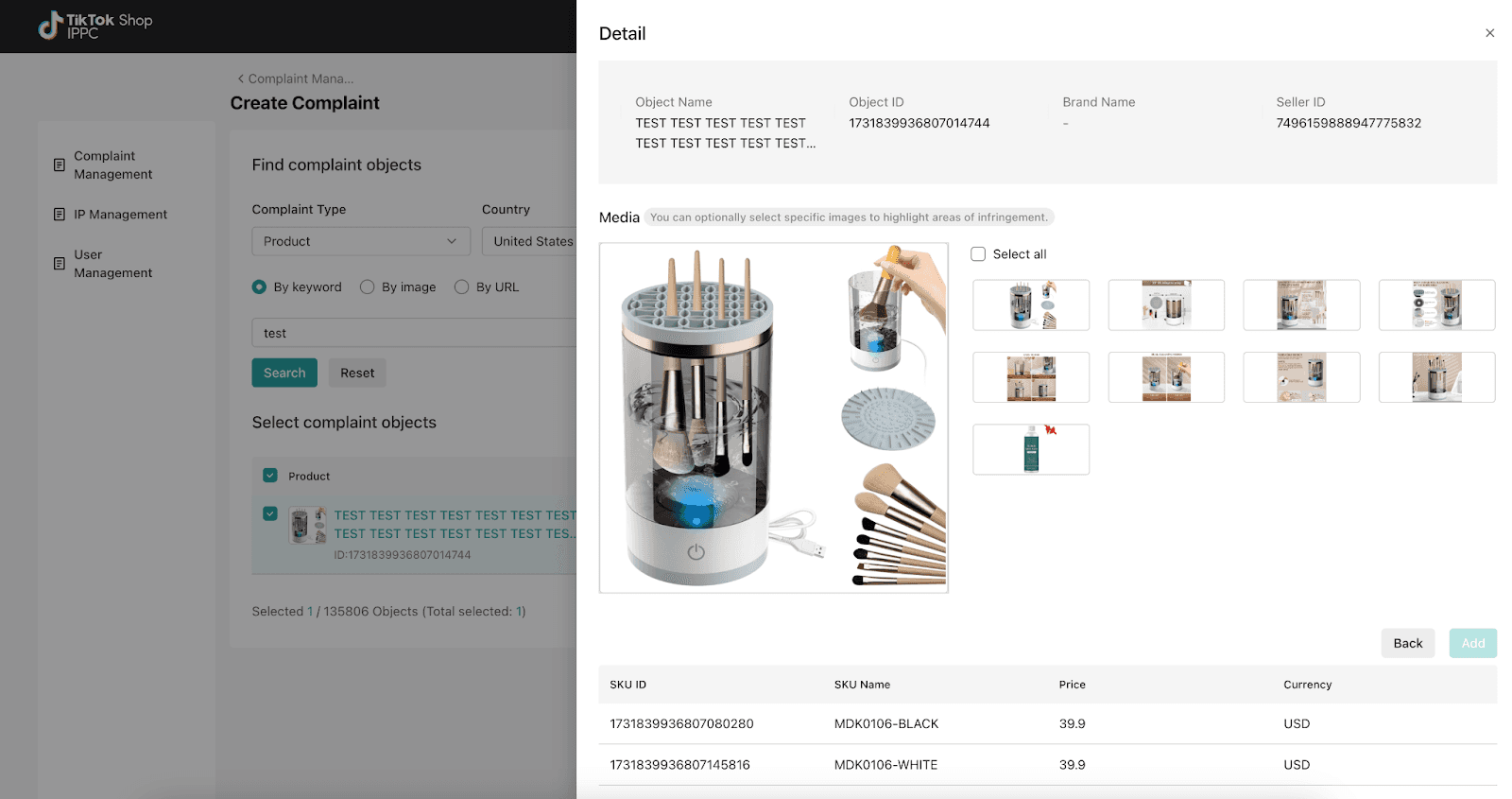
Pro tip to increase your odds of a fast takedown: When selecting images from the listing, highlight the specific areas where infringement occurs. Point out exactly where your trademark appears, where your product photos were stolen, or where your logo is being misused. The clearer you make it for TikTok's review team, the faster they can act.
For trademark complaints, cite misuse of your brand in the title, description, or logo. For copyright complaints, point out how the listing infringes on your copyrighted images or text.
Submit the complaint and TikTok will review it. Most decisions come within 3 business days, unless further investigation on their end is needed. Sometimes the infringer may decide to appeal your takedown notice. In these cases, TikTok will take further steps to investigate the listing and either invalidate the takedown or deny the appeal.
Step 5: Track Your Complaints
The Complaint Management dashboard lets you monitor the status of all your filings. You can see which complaints are pending, approved, or rejected, and follow up on any that need additional documentation.
When Manual Takedowns Don't Scale
The IPPC works fine if you're dealing with a handful of counterfeit listings. But if your brand is getting hit with dozens or hundreds of fakes across TikTok Shop and other marketplaces, the process of manual filing, attaching justification, and handling appeals becomes a full-time job.
That's where automated brand protection comes in. Tools like Podqi integrate directly with TikTok's IP portal (and 100+ other marketplaces) to detect counterfeits using AI-powered image matching and execute takedowns at scale, so you're not spending hours every week playing whack-a-mole with scammers.
Learn more about how Podqi protects brands on TikTok Shop
Related: TikTok Shop Scams Are Putting Brands at Risk: How to Fight Back